
An expressive AI companion.
Alive on your Mac.
Speak naturally hands-free with “Hey Freya”. Real-time lip-sync, five distinct personalities, and native macOS automation.

Free • Universal Binary for Apple Silicon & Intel • macOS 14+
Designed Exclusively for Mac
Smooth 60fps animations, floating transparent stage, and responsive native controls.
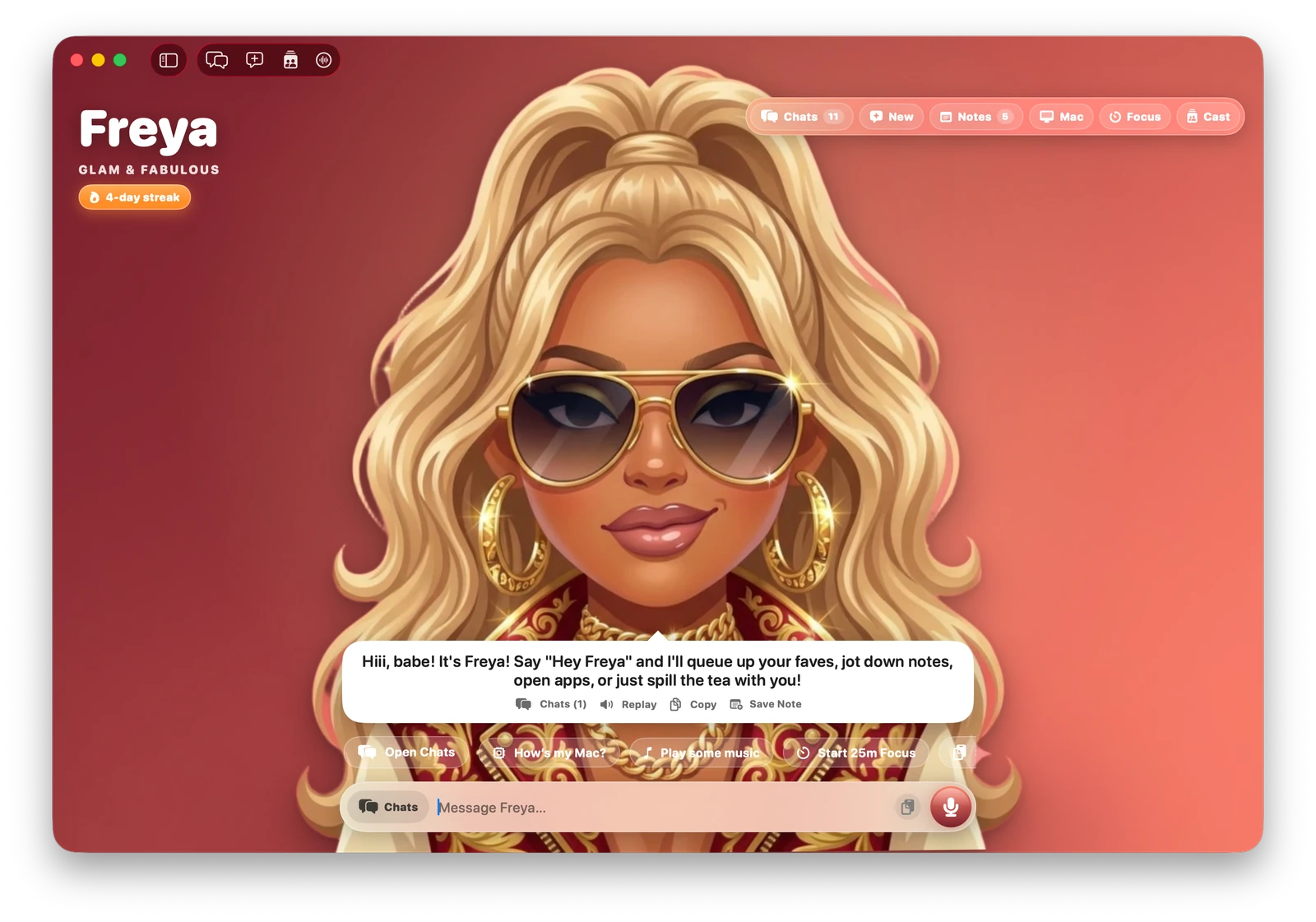
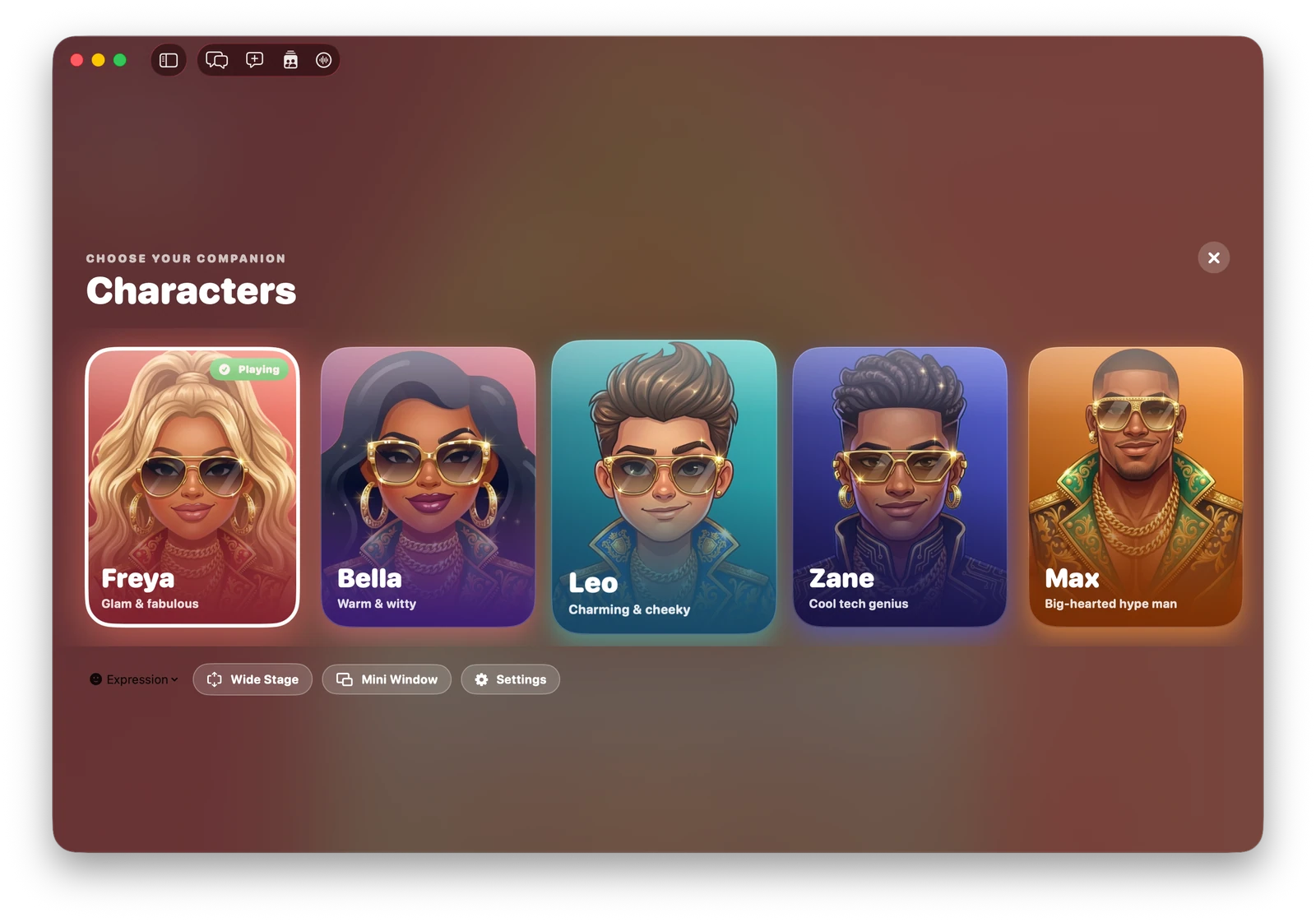
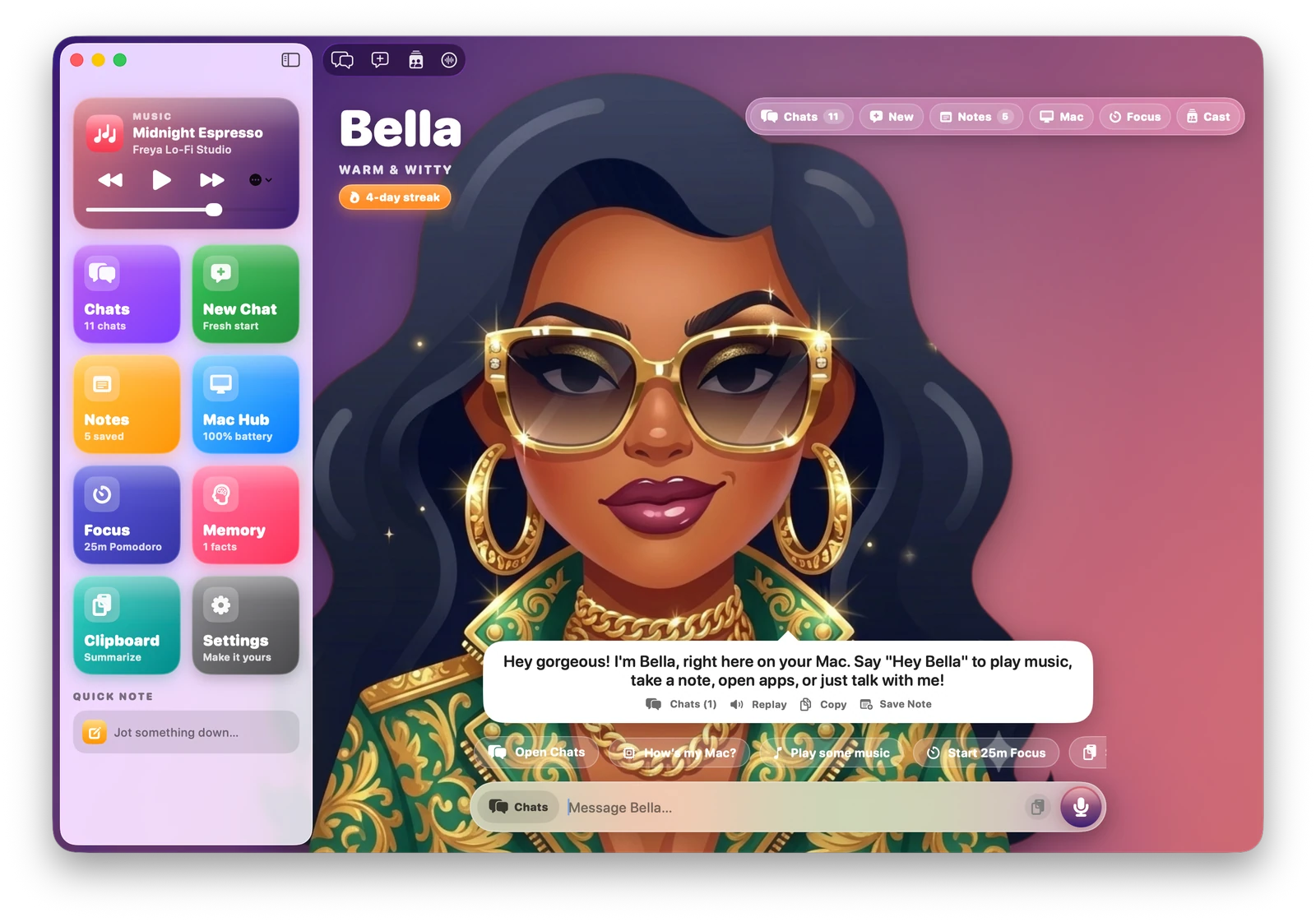
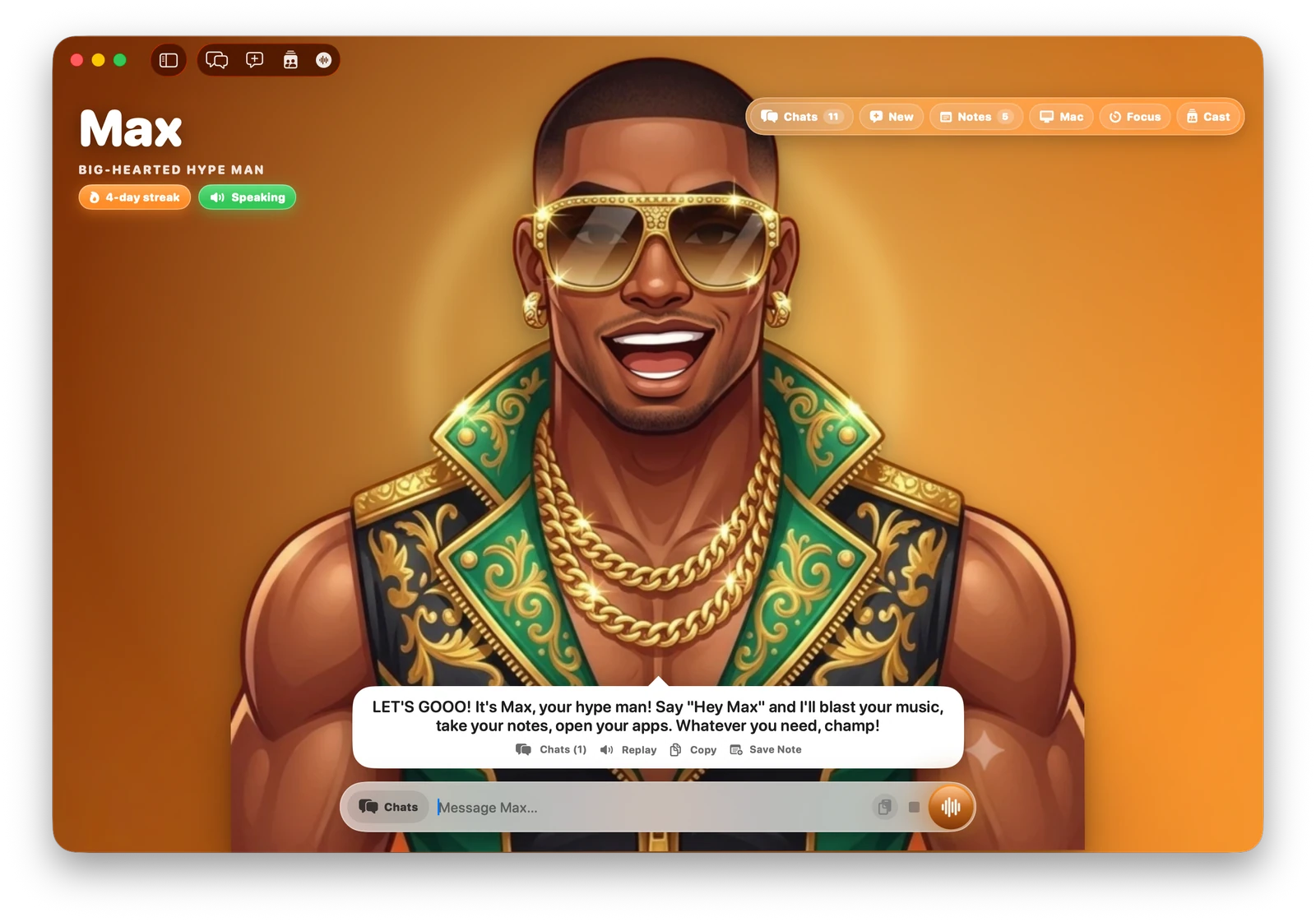
Expressive companion stage with real-time audio-envelope lip-sync, mood-reactive glass UI, and instant prompt chips.
Five Companions. Distinct Voices.
Each companion features dedicated neural voice synthesis and a unique personality.




















Built From the Ground Up for Mac
Deep macOS integrations, multimodal intelligence, and local keychain security.
Hands-Free Wake Word & Live VAD
Say 'Hey Freya' (or 'Hey Leo', 'Hey Bella') anytime, or enter continuous hands-free Live Mode with smart 1.8s silence detection and push-to-talk (⌥Space).
Multi-Tier Neural Voice & 60fps Lip-Sync
Powered by Google Gemini TTS with 30+ natural voices and auto-failover to Microsoft Edge Neural, offline Kokoro ONNX, and macOS Premium system voices.
Native macOS Automation & System Agency
Executes real Mac actions safely via AppleScript and system hooks: Apple Music & Spotify playback, Apple Notes sync, Calendar events, Reminders, and Dark Mode toggling.
Built-In 44.1kHz Lo-Fi Music Studio
Generates real-time stereo electric-piano chord progressions on the fly (Midnight Espresso, Golden Hour Synthwave, Shibuya Rain Jazz) with auto audio ducking.
Notes Studio & Persistent Memory
Dictate thoughts hands-free with automatic sync to macOS Apple Notes. Freya also remembers user preferences and context across sessions in her secure local vault.
9 Persona Modes, 10 Themes & 6 Dock Icons
Customize Freya to match your mood: 9 AI personas (Classic, Bestie, Hype Coach, Study Tutor, Sassy Roaster), 10 dynamic backgrounds, and 6 instant Dock/Finder icons.
Download Freya for Mac
Requires macOS 14.0 (Sonoma) or Sequoia. Universal binary for Apple Silicon (M1/M2/M3/M4) & Intel.
Freya.dmgIf macOS displays “Freya Not Opened — Apple could not verify malware”, run this command in Terminal to clear the download quarantine:
Or go to System Settings > Privacy & Security and click Open Anyway.